Sturdy 1.5 introduces exciting NEW CONTROLS and Blender 5+ compatibility*.
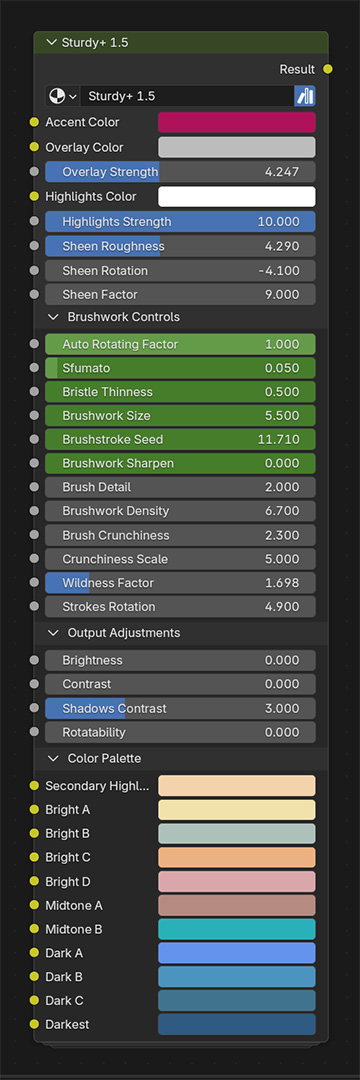
Additionally, some of Sturdy‘s settings are now grouped in collapsible panels. All the new controls are located on the Brushwork Controls panel:
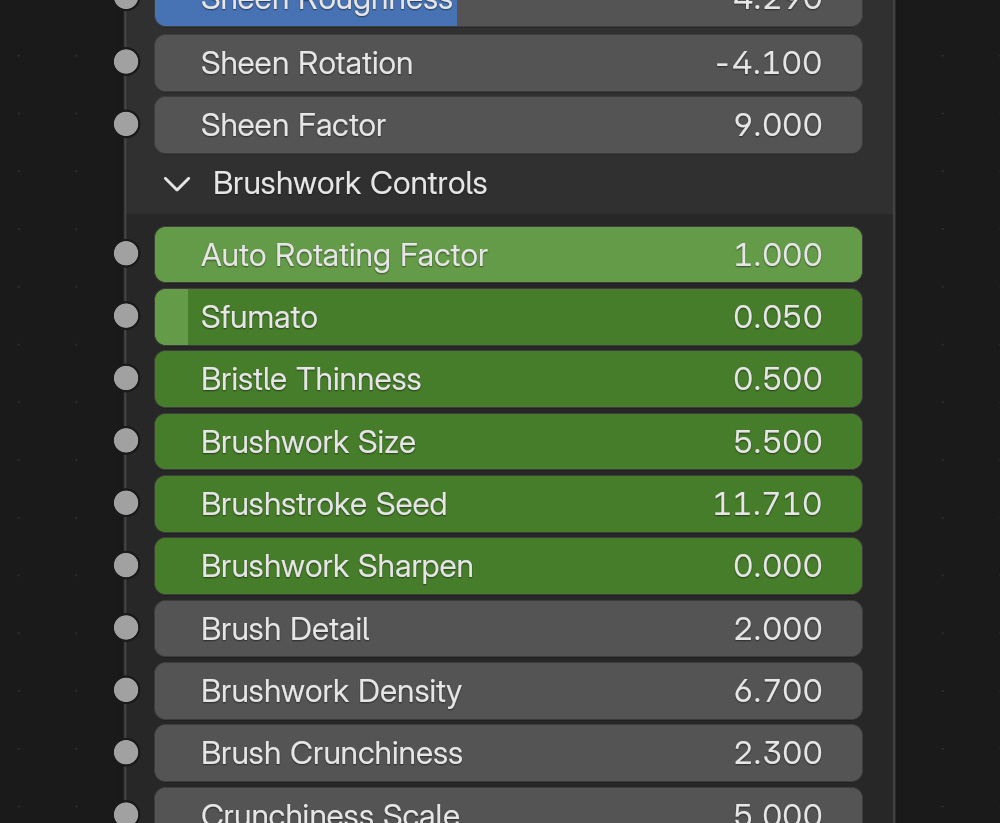
▼ Auto Rotating Factor
Since Sturdy‘s original release, brushstrokes slowly and randomly rotate if you orbit a mesh with a Sturdy material. With this setting you may tone down that effect. Set it to 0 for no auto rotation.
▼ Sfumato
Sfumato (Italian for smoked off, blurred) is a painting technique for softening the transition between colors. Leonardo da Vinci was its greater champion. Use the Sfumato slider to emulate that Renaissance effect on your Sturdy material.
▼ Bristle Thinness
Not quite the same as Brush Detail, even if the settings are related. Higher values will make the brushstrokes’ bristles thinner – and the brush itself wider.
▼ Brushwork Size
Not quite the same as Brushwork Density, even if the settings are related. Higher values will reduce the overall brushwork scale.
▼ Brushstroke Seed
Our absolute favorite in this release, Brushstroke Seed will change the aspect of the brushstrokes on a Sturdy material, without changing the brushstrokes’ look, structure and general orientation. You get infinite color variations/rendering looks within the same brushwork structure and chosen palette. Do give this one a try!
▼ Brushwork Sharpen
Higher values (max value 1) will give a slightly sharpened look to the overall brushwork. Not for all occasions, but you may like it.
*Blender 5 changed many of EEVEE’s inner calculations, resulting in a slightly different look for the Sturdy shader. If you want the exact same look of the original release, stick to Sturdy 1.2 and Blender 4.5 (or less, but not earlier than 3.4).